+1 805-283-6908
 +91 73473-34050
In order to manage subscriptions and recurring payments in your organization account, follow the details below:
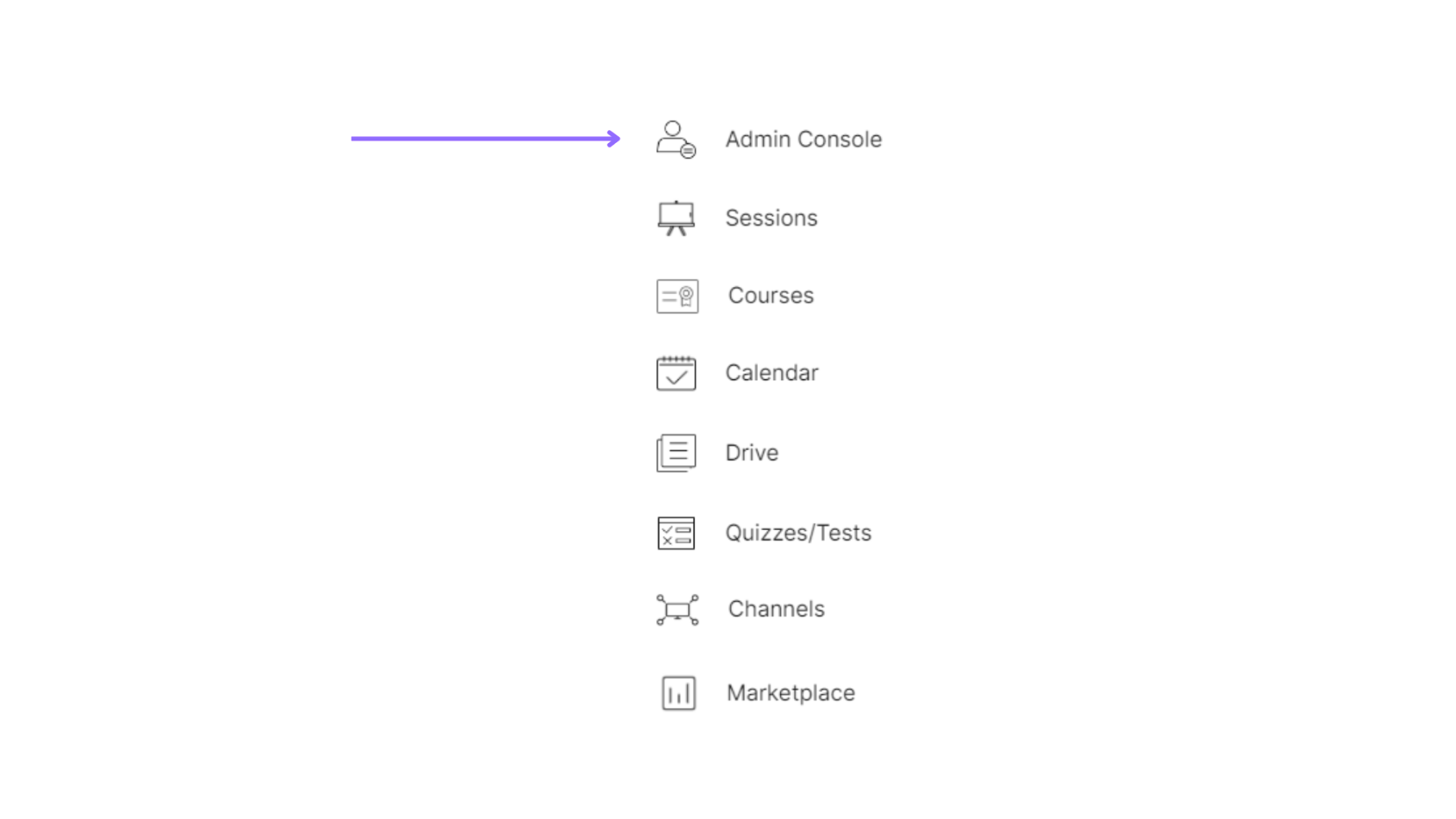
Select the “Admin Console” of a particular organization.
Select the “Accounting & Payments” option under the “Session Accounting” section.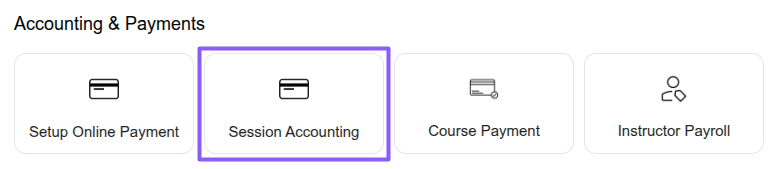
Select the “Subscriptions” option under the “Payments” section to create and manage subscriptions for customers and learners, including billing cycles, pricing, duration, subscription settings, linked services, and assigned credits. Click the “New Subscription” button to create a subscription, and use the “Active,” “Scheduled,” and “Cancelled” tabs to view and manage subscriptions accordingly.
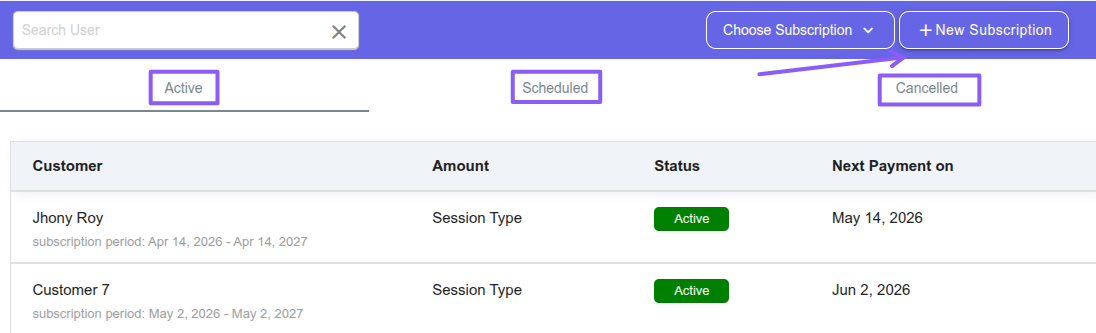
Click the “New Subscription” button and select the subscription type you want to create.
Fixed Subscription – Generates a fixed invoice amount automatically on each billing date for a single customer. The amount remains the same every cycle, making billing simple, predictable, and easy to manage. It is best suited for customers with a fixed recurring payment structure.
Session Subscription – Creates invoices based on session duration such as weekly, fortnightly, or monthly sessions. You can choose prepaid billing for upcoming sessions or postpaid billing for completed sessions. The system automatically includes all sessions within the selected billing period and helps manage multiple customer subscriptions efficiently.
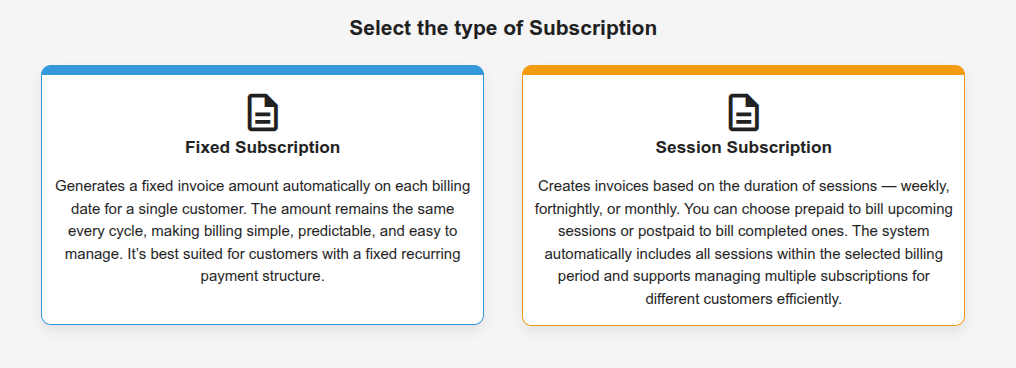
Then click the “Create Subscription” button to create a new subscription.
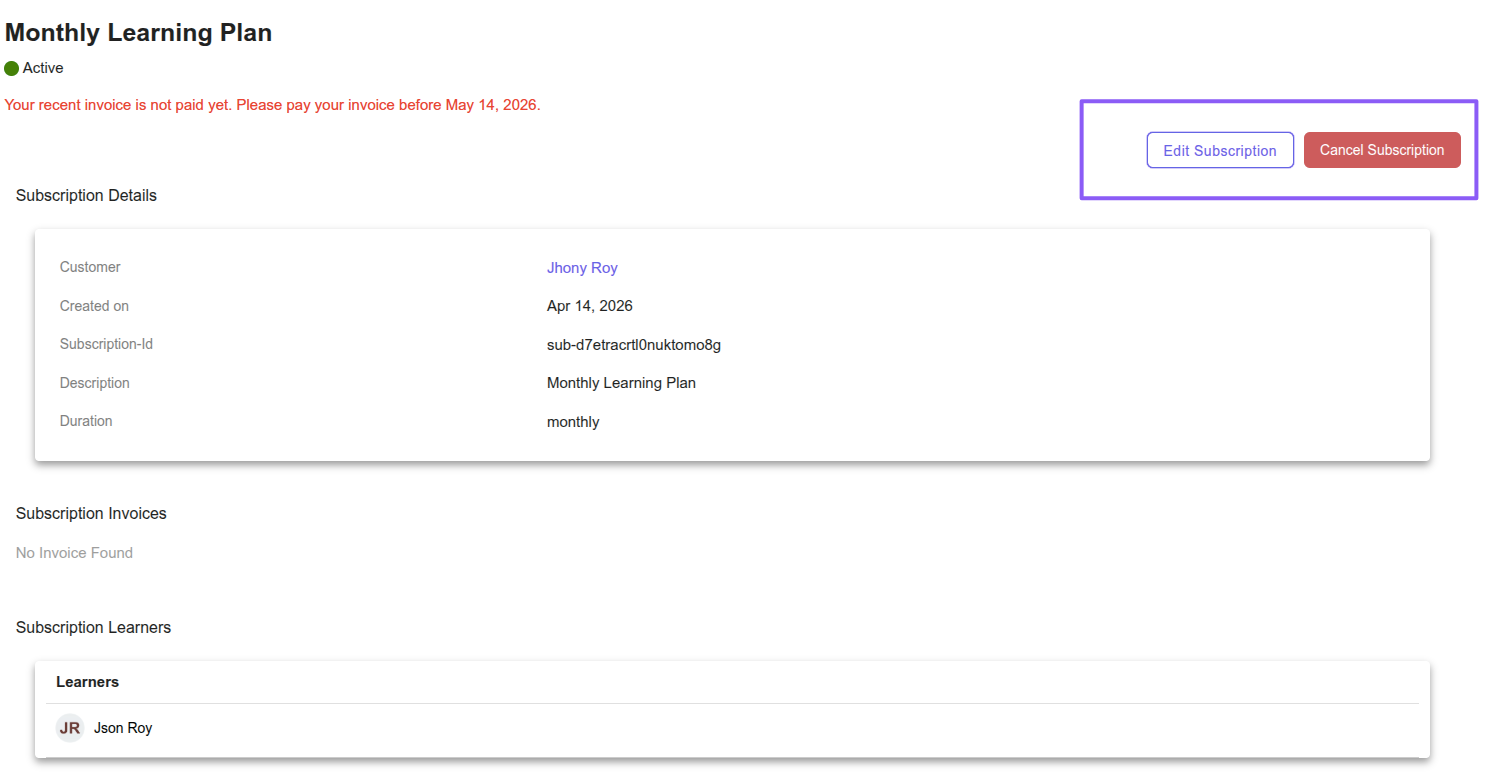
To view, edit, or cancel a subscription, click on the subscription from the list. You can review complete subscription details, update subscription settings, modify billing information, or cancel the subscription as required.